


 DIFFERENCE

How to Use Remote Start on Your Chevy or GMC
How-To
By Branden Bodendorfer, Director of Marketing, Wheelers Family Auto Group | August 25, 2026
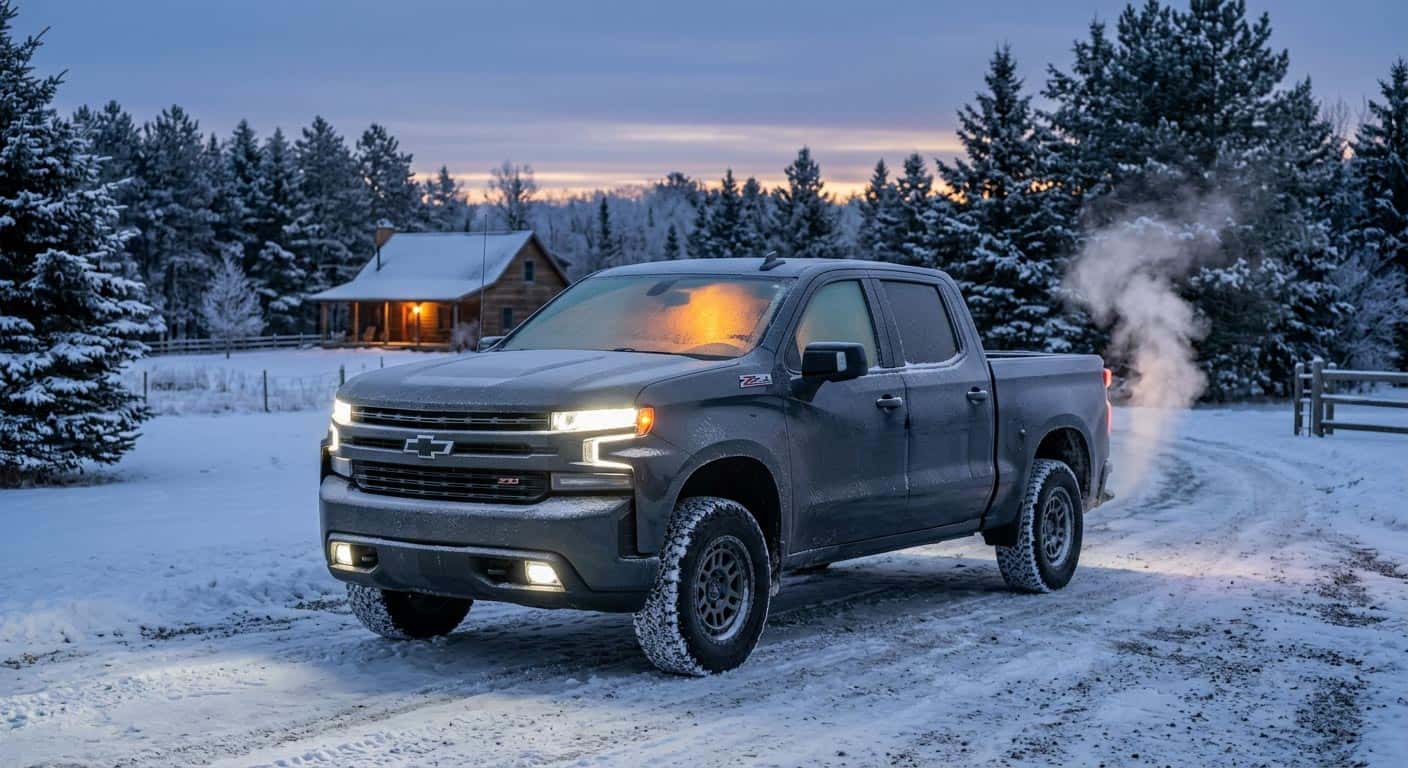
Quick Answer: Press the lock button on your key fob, then immediately press and hold the curved-arrow remote start button for about four seconds. Your Chevy or GMC will fire up, lock itself, and start warming the cabin using whatever climate settings were on when you last shut it off. The myChevrolet or myGMC app does the same thing from your phone. Here’s how to do it right, and what stops it from working on a sub-zero Central Wisconsin morning.
In This Article
- What Remote Start Actually Does
- How to Remote Start With Your Key Fob
- How to Remote Start With the App
- Getting the Most Out of It on a Cold Morning
- What Can Stop Remote Start From Working
- FAQ
- Quick Checklist: Set It Up the Night Before
- Final Thoughts
Remote start is one of those features nobody reads the manual for until the first hard freeze of the year, and then it’s the only feature that matters. Central Wisconsin doesn’t ease into winter. It’s shorts weather one week and windshield-scraper weather the next, and the difference between a warm truck waiting for you and ten minutes of scraping frost usually comes down to whether you actually know how to use the button you’ve had on your key fob the whole time.
Here’s how remote start works on Chevy and GMC vehicles, both from the fob and from your phone, and the handful of things that quietly stop it from working when you need it most.
What Remote Start Actually Does
Remote start isn’t just “the engine turns on.” When you trigger it, the vehicle locks itself, starts the engine, and turns on whatever heating, cooling, or defrost settings were active the last time you drove it. If your Chevy or GMC has automatic climate control, it’ll target your last-used temperature. If it has heated seats or a heated steering wheel and those were on when you parked, remote start turns them back on too, so the wheel doesn’t feel like a popsicle when you get in.
The doors stay locked the entire time it’s running. That’s on purpose. Nobody’s climbing into a warm, running truck in your driveway while you’re still in your slippers.
How to Remote Start With Your Key Fob
This is the version most people already have, whether they’ve used it or not.
Press the lock button once. This confirms the doors are secured and tells the system you actually mean to do this, not just brushing the button in your coat pocket.
Immediately press and hold the remote start button. It’s the one shaped like a curved arrow. Hold it for about four seconds. Your lights should flash to confirm the engine caught.
Stay within range. The fob talks to your vehicle over radio waves, not the internet, so you’ll need to be within about 200 feet of it for this to work. Standing in the kitchen window works. Being at the office doesn’t.
How to Remote Start With the App
If your vehicle has connected services, the myChevrolet or myGMC app does the same job from anywhere with a signal, since it goes through the vehicle’s cellular connection instead of a radio signal off the fob.
Open the app, find the Remote Commands or Key Fob section, and select Remote Start. Some setups ask for a PIN first. Once it’s confirmed, the vehicle starts the same way it would with the fob, and the app will show you it’s running.
This one’s worth having in the winter specifically because range stops mattering. Starting your truck from a work meeting across town so it’s warm by the time you walk out is the whole point.
Getting the Most Out of It on a Cold Morning
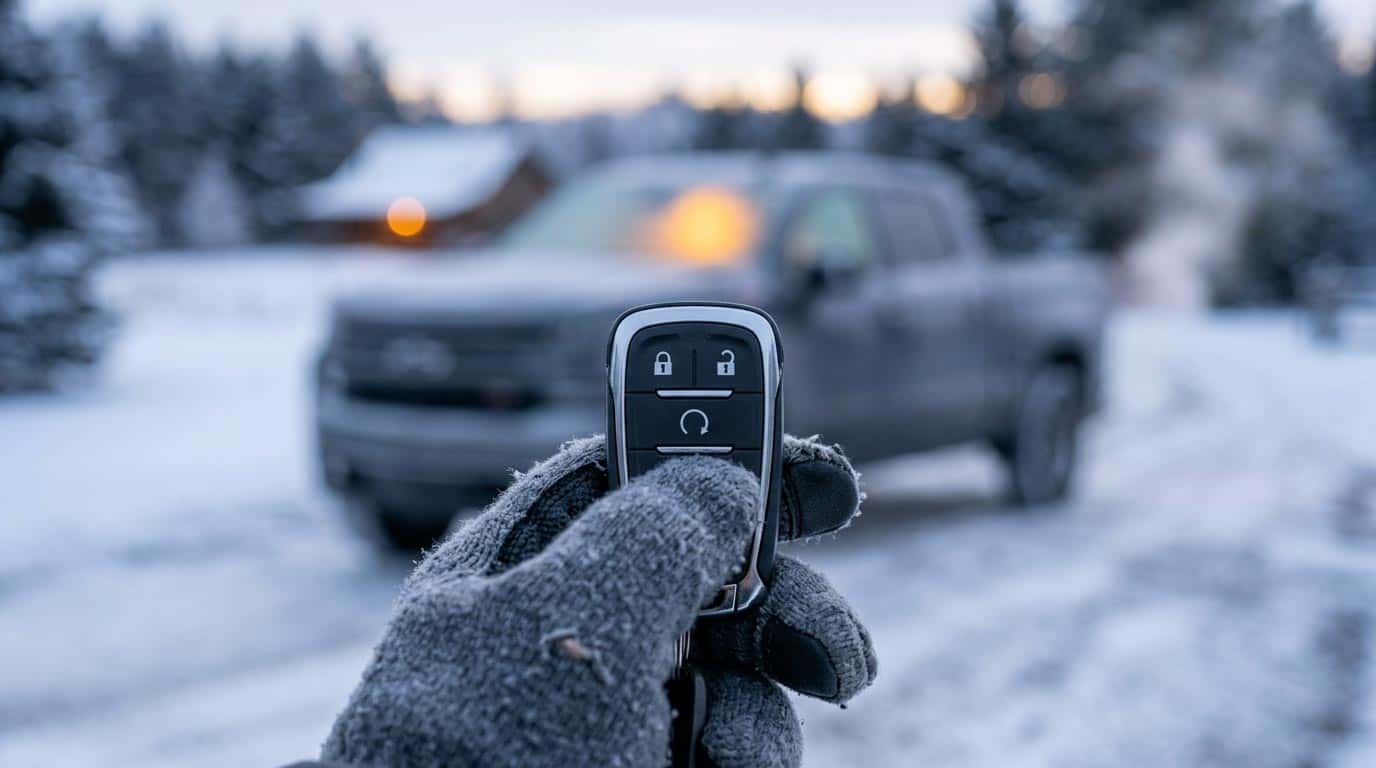
Remote start warms the cabin off whatever settings were active when you last shut the vehicle off, so the trick is setting those up the night before. Before you park for the night, set your climate control to Auto and dial in the temperature you actually want in the morning, not just whatever felt fine at 5 p.m. If your vehicle has heated seats or a heated steering wheel, turn those on too right before you shut off the engine. Remote start will bring all of it back the next time you use it.
It’s also doing your engine a favor, not just your fingers. Cold oil is thick oil, and thick oil doesn’t circulate well until it warms up. Giving the engine a few minutes to come up to temperature before you put it in gear and drive means less wear on cold mornings, which in Wisconsin is most mornings from November through March.
What Can Stop Remote Start From Working
Remote start has a handful of built-in requirements, and if any of them aren’t met, it just won’t fire. Before you assume something’s broken, check these:
Doors, hood, and tailgate need to be closed. An open hood is the most common reason remote start refuses to work. The system reads it as unsafe to start unattended.
The vehicle needs to be in Park. Obvious, but easy to forget if you just pulled in.
The key fob can’t be inside the vehicle. If your fob is sitting in the cupholder, some systems will block the remote start since it assumes someone’s already in there.
There’s a daily time limit. Each start cycle typically runs 10 to 15 minutes before shutting off automatically, and you can trigger it again for a second cycle. Most GM vehicles cap out around 40 total minutes of remote-start runtime before you’ll need to start it manually with the key or push-button start instead.
Never run it in a closed, unventilated garage. This one isn’t a feature limitation, it’s a safety rule. Exhaust needs somewhere to go. Crack the garage door or pull the vehicle out first.
FAQ
Does every Chevy or GMC have remote start?
Most do, but it can be trim-dependent on certain models. Check your key fob for a curved-arrow button. If it’s there, you have it.
Can I remote start a manual transmission vehicle?
No. Remote start requires an automatic transmission, since the system needs to confirm the vehicle is safely in Park before it will start unattended.
How long does remote start keep the engine running?
Each activation typically runs about 10 to 15 minutes before shutting off automatically. You can press the button again for a second cycle, up to a total daily limit of around 40 minutes on most GM vehicles.
Will remote start warm up my heated seats and steering wheel too?
Yes, if those features were on when you last shut the vehicle off. Remote start restores your last climate and seat/wheel heating settings automatically.
Why won’t my remote start work?
The most common culprits are an open hood, the fob left inside the vehicle, the vehicle not being in Park, or the daily runtime limit already being used up. Cold-soaked fob batteries in deep winter can also weaken the signal.
Is it safe to remote start my vehicle in the garage?
Only with the garage door open. Never remote start a vehicle in an enclosed, unventilated space.
Quick Checklist: Set It Up the Night Before
- Set climate control to Auto and dial in your actual morning temperature before you shut the vehicle off.
- Turn on heated seats and the heated steering wheel right before parking, if equipped, so remote start restores them.
- Close the hood, doors, and tailgate all the way. An open hood is the number-one reason remote start won’t fire.
- Confirm the fob isn’t sitting inside the vehicle.
- If you’re parked in the garage, leave the door open before you trigger remote start.
- Give it a full 10-minute cycle before driving on the coldest mornings, so the oil actually has time to warm up.
Final Thoughts
Remote start is one of those features that feels like a luxury until the first sub-zero morning of the year, and then it feels like the only feature that matters. Set your climate and seat settings the night before, keep the hood and doors closed, and you’ve got a warm truck waiting on you instead of the other way around.
Want to see which current Chevy and GMC models come with remote start standard? Browse new Chevrolet inventory or new GMC inventory, or contact us and we’ll help you find the right fit before the next cold snap hits Central Wisconsin.
About the Author
Branden Bodendorfer is Director of Marketing for Wheelers Family Auto Group, a six-rooftop Chevrolet and GMC dealer group serving Central Wisconsin since 1964. He writes about GM technology, new and classic Chevrolet and GMC vehicles, and the Central Wisconsin communities Wheelers serves.
Sources
- Chevrolet.com, “How to Operate Keyless Start | Vehicle Support”
- GMC.com, “How to Operate Keyless Start | Vehicle Support”
- Digital Trends, “How to Use Chevrolet’s Remote-Start Function”
- Hiley Buick GMC, “How to Remote Start Your GMC with the App”
- Jack Burford Chevrolet, “How To Use Chevy Remote Start”


0 comment(s) so far on How to Use Remote Start on Your Chevy or GMC